
What you can do
- Monitor global events in real time on a 3D globe or flat map with toggleable data layers for military flights, naval vessels, satellites, earthquakes, wildfires, cyber threats, disease outbreaks, radiation, and more
- Read an AI-generated daily intelligence brief that synthesises the day’s headlines into a structured, source-attributed summary — viewable in the dashboard, as a public share link, or as a social-ready image carousel
- Screen country-level risk two ways: the Country Instability Index for a high-frequency stress signal on a curated country set, and the Country Resilience Index for the 196-country public rankable universe built from 72 indicators across 21 active dimensions and 6 domains. Live API scores refresh every 6 hours. Crawlable country snapshots publish monthly.
- Plan shipments with Route Explorer — a full-screen keyboard-first workflow that resolves chokepoint exposures, alternative corridors, land routes, and country-level impact for any origin-destination-commodity combination
- Run disruption scenarios with the Scenario Engine — pre-built conflict, weather, sanctions, and tariff-shock scenarios that paint impact across chokepoints, sectors, and countries directly on the map
- Analyse financial signals including market quotes, commodity prices, prediction markets, central-bank rates, EU macro indicators, and Gulf-economy dashboards
- Connect your own agent via the MCP server — Claude, Cursor, and other MCP clients can call curated WorldMonitor tools over OAuth 2.1 or a direct API key
- Run entirely in your browser with optional offline AI capabilities via ONNX Runtime Web, keeping your data on your device
Ways to use World Monitor
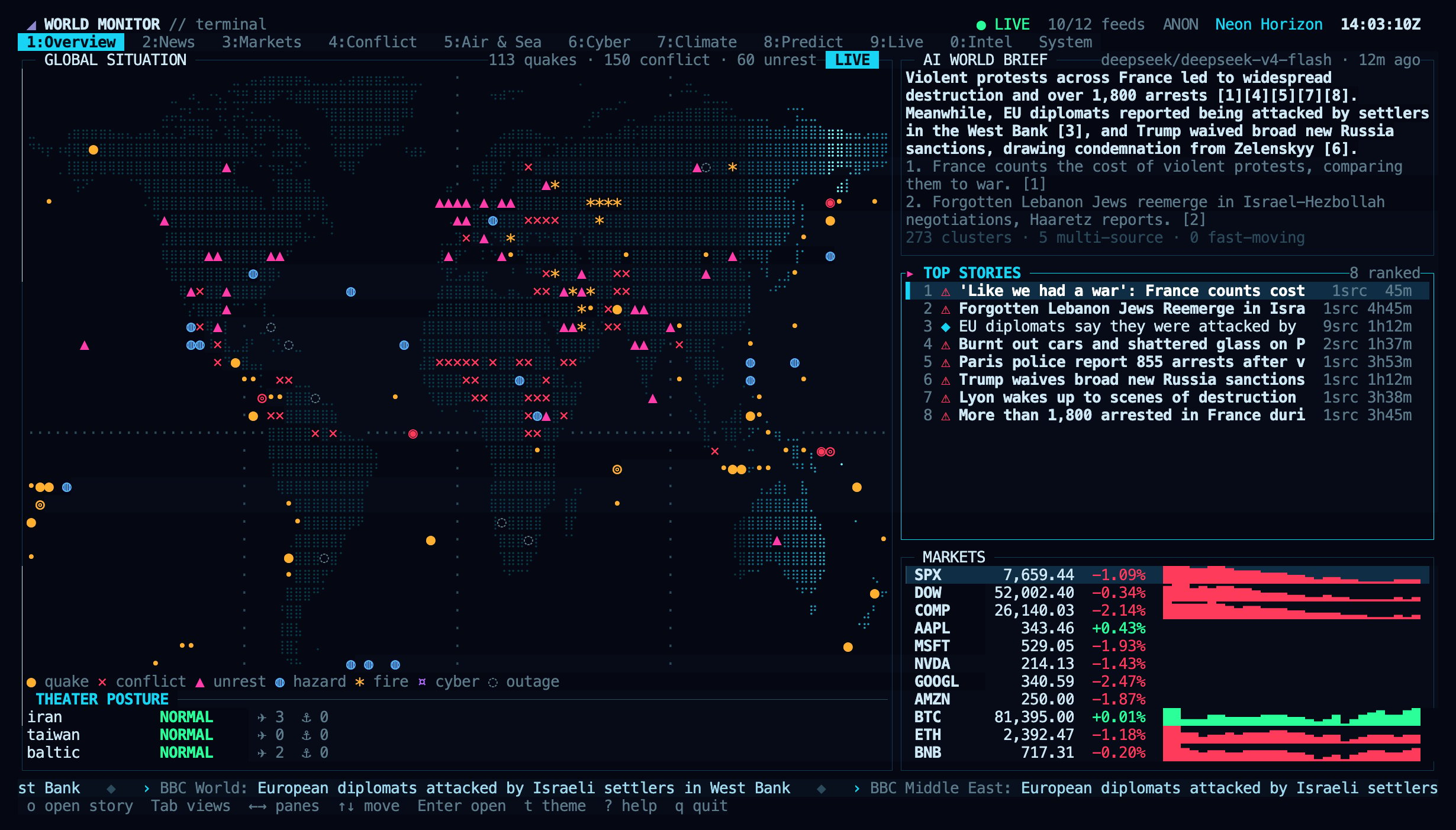
The terminal dashboard (npx worldmonitor) shows the same live data as the web app.
Quick links
- New here? Start with Getting Started for installation and setup
- Want the quick tour? Features & Interface walks through the map, layers, panels, and Cmd+K
- Want to understand the system? Read Architecture for how the pieces fit together
- Building an integration? Start with the Quickstart and browse the API Reference
- Connecting an AI agent? Set up the MCP server
- Interested in the data sources? See Data Sources
- Want to contribute? Read Contributing for code style and PR process